
Google Flow Explained Simply — Making AI Video Feel Like Filmmaking
Google Flow lets you build short AI video scenes and stitch them together like a real film, instead of generating one random clip at a time.
🌐 Translate this article:
⚡ Powered by Google Translate · Original content preserved
Plenty of tools can turn a text prompt into a short AI video clip. Google Flow does something a bit different — it helps you turn several clips into something that actually feels like a small film, with consistent characters and scenes that connect.
What Makes It Different
A lot of AI video tools give you one clip at a time, and each one can look a little different from the last — different lighting, a character whose face changes slightly. Flow is built to keep things consistent across multiple scenes, so when you put clips together, they feel like they belong to the same story.
It's built on Google's Veo video model, which handles the actual video generation underneath.
What You Can Do With It
- Describe a scene in words and generate a short video clip from it
- Keep a character or setting looking the same across multiple scenes
- Control camera angles and movement in your generated clips
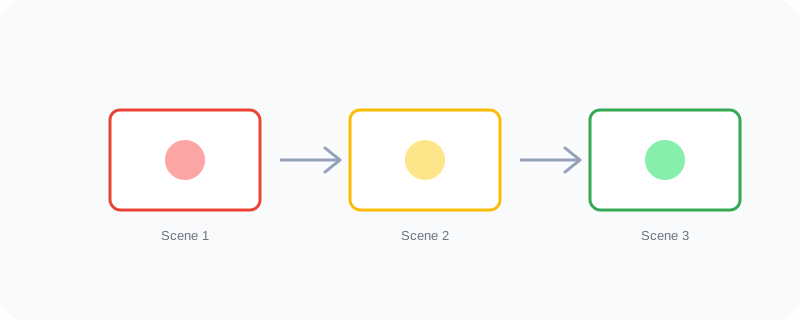
- Organize multiple clips into one connected sequence
- Start from text, or from an image you already have
Who Is This For?
Content creators making short videos for social media. Hobbyist filmmakers who don't have access to actors or cameras. Marketers who need a quick promotional clip without booking a video shoot. It's aimed at people who think in scenes and stories, not just single clips.
How to Start Using It
- Go to labs.google/flow
- Sign in with your Google account
- Describe your first scene in plain words
- Generate it, review it, then build your next connected scene
Note: video generation credits and access can depend on your Google AI plan, so check what's included before diving into a big project.
A Simple Way to Think About It
Other AI video tools are like a camera that snaps one photo at a time. Flow is more like a small film set, where the scenes are meant to connect into one story.
Curious about Google's other creative and AI tools? Browse the full Google Universe directory, or read our simple guide to Gemini App next.
📣 Share this article